Reliable, Fast Zoho Desk Setup for Support Teams in India
We are Zoho Premium Partners, and we help you provide Zoho Desk for your business — a complete helpdesk that unifies every support channel into one ticket queue, with SLAs that actually get enforced instead of quietly missed. A3CA sets it up right the first time, tuned to how your support team actually works.
The Context-Aware Helpdesk Built
for Every Support Channel
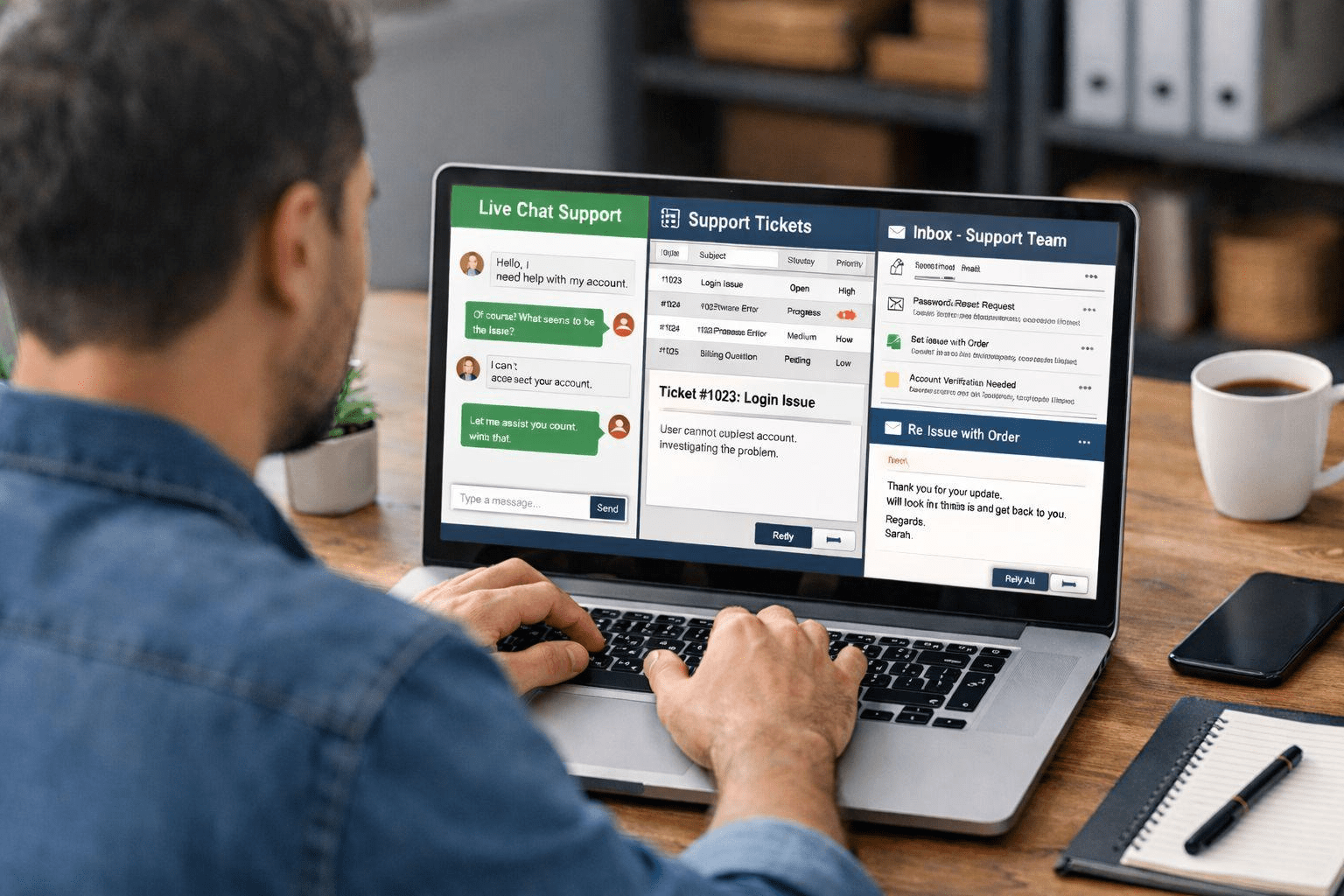
Zoho Desk is Zoho’s customer support platform, built to pull email, live chat, phone, social media, and WhatsApp conversations into a single ticket queue — with SLAs, automation rules, and agent collaboration tools that keep response times honest.
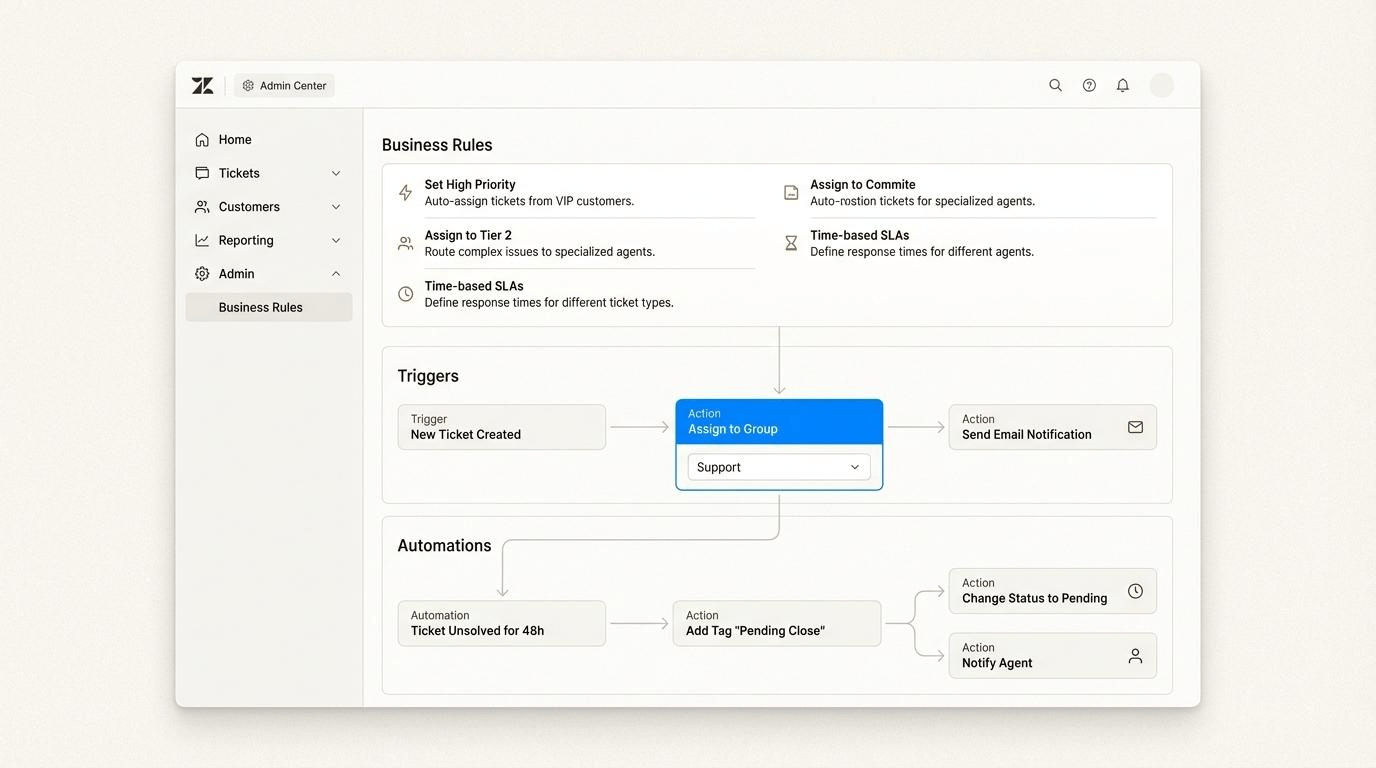
For Indian support teams, that means tickets get auto-assigned by skill or team, SLA timers escalate before a deadline is missed, and a self-service knowledge base deflects repetitive questions before they ever become tickets.
As an Authorized Zoho Premium Partner, A3CA holds direct access to Zoho’s licensing support and product roadmap — so your Zoho Desk environment is configured the way Zoho intends it, tuned to your actual ticket volume and escalation paths, not a generic template.
Built For Support Teams of Every Size, Across Every Channel
Led By Chartered Accountants + Certified Zoho Consultants
WHAT WE DO
Tailored Zoho Desk Services Built for
Support Teams That Can't Drop a Ticket
Even a well-known helpdesk goes wrong without the right queue design, honest SLAs, and automation your agents will actually follow. We combine fast, focused setup with the same rigor we bring to enterprise Zoho projects, scaled to fit your support team’s size and volume.
01 — Strategy
Support Workflow Design for How You Actually Help Customers
✓Discovery call to map your ticket types, channels, and escalation paths
✓Ticket queue design: department, team, or skill-based routing
✓SLA policy design matched to your response-time commitments
✓Change-management plan for smooth agent adoption
02 — Implementation
Fast, Focused Helpdesk Setup
✓Configure departments, ticket views, and agent roles
✓Set up SLA rules, escalation paths, and business hours
✓Build layout rules and custom ticket fields for your product or service
✓Go live in weeks, not quarters
03 — Customization
Custom Fields, Layouts & Blueprint Workflows
✓Custom ticket fields and layouts per department or product line
✓Blueprint workflows for multi-step resolution processes
✓Macros and canned responses for repetitive replies
✓Branded customer-facing help center design
04 — Integration
Connect Every Support Channel You Use
✓Email, live chat, and telephony/PBX integration
✓WhatsApp Business and social media channel setup
✓Zoho CRM sync so agents see full customer context
✓Data flow validated end-to-end before go-live
05 — Automation
SLA Enforcement & Escalation Rules That Actually Fire
✓Automated ticket assignment by skill, team, or workload
✓SLA escalation rules with manager alerts before breach
✓Zia AI-assisted reply suggestions and sentiment tagging
✓Auto-triggered satisfaction surveys after resolution
06 — Support
Ongoing Help as Your Support Team Grows
✓Direct access to your implementation consultant
✓Periodic SLA and ticket-backlog health check-ins
✓Team training for new agents as you scale
✓Guided expansion into Zoho CRM Plus as your needs grow
Core services
Core Zoho Desk Modules:
Built to Keep Every Ticket On Time
Our specialized setups keep response times honest and your team focused, while making sure the foundation is clean enough to scale into Zoho CRM Plus later.
01
Omnichannel Ticketing
Email, live chat, phone, social media, and WhatsApp conversations land in one unified ticket queue, tagged by channel automatically.
Unified multi-channel inbox
Channel tagging & routing
Auto-ticket creation
Duplicate ticket detection
02
SLA & Escalation Management
Response and resolution SLAs enforced automatically, with manager alerts firing before a deadline is missed, not after.
Custom SLA policies
Business hours & holidays
Automated escalation rules
Breach alerts to managers
03
Knowledge Base & Self-Service
A searchable, branded help center that deflects repetitive questions before they ever become a ticket.
Public & internal knowledge base
Article suggestions in tickets
Community forums
Multi-language support
04
Workflow Automation & Blueprint
Multi-step resolution processes enforced automatically, from first response to final sign-off.
Blueprint process workflows
Round-robin assignment
Macros & canned responses
Custom automation rules
05
Zia AI & Sentiment Analysis
AI-assisted reply suggestions, sentiment tagging, and auto-categorization that help agents respond faster and more consistently.
AI reply suggestions
Auto-ticket categorization
Sentiment & auto-tagging
Predictive ticket fields
06
Reporting & Zoho CRM Plus Upgrade Path
Real-time SLA and agent-performance dashboards today, with a clean upgrade path into Zoho CRM Plus as your customer experience needs grow.
SLA & performance dashboards
Seamless CRM Plus upgrade
Custom report builder
Zero data loss on migration
EFFICIENCY & IMPACT
Why Zoho Bigin Makes Sense for
Small Teams
Shared spreadsheets and scattered WhatsApp chats work — until they don’t. Zoho Bigin gives small teams the pipeline discipline of a full CRM, without the enterprise price tag or setup time.
Live in Days, Not Months
1–3 week go-live means you're tracking deals properly almost immediately.
No More Lost Follow-ups
Automated reminders replace mental notes and missed WhatsApp replies.
Affordable at Small-Team Scale
Enterprise-grade pipeline discipline at a price built for startups and small businesses.
Room to Grow
A clean upgrade path into Zoho CRM means you're never locked out of scaling later.
1–3 Wks
Full implementation & go-live timeline
0
Spreadsheets left behind
1
Visual pipeline for the whole team
10hrs
Manual tracking hours saved per month
WHY A3CA
The Interdisciplinary Advantage.
Most freelance helpdesk setups stop at “tickets come in.” A3CA brings the same process discipline we use on enterprise Zoho projects, scaled to your support team’s actual size.
Right-Sized, Not Over-Built
Led by experienced Chartered Accountants, we design your Desk setup to fit your team's actual ticket volume and escalation paths — no unnecessary complexity, no wasted setup fees.
Authorized Zoho Premium Partner
As a Zoho Premium Partner, your Desk setup is configured the way Zoho intends, with direct access to licensing support and a smooth path to Zoho CRM Plus later.
Deep Local Insight, Global Standards
Based in Mohali, Punjab, we understand how Indian support teams actually operate, while keeping the architecture clean enough to scale across time zones.
Completely Human-Centric Support
We avoid generic tech jargon. Our teams work on-site and remotely, delivering plain-language training so your whole team actually uses the queue daily.
How We Work
Your Zoho Desk Implementation Journey
From first consultation to fully operational — here’s what the journey looks like with A3CA.
Week 1
01
Discovery & Planning
Quick channel and SLA discovery, with a simple ticketing roadmap.
Week 2
02
Data Migration
Historical ticket and customer data extraction, cleanup, and validation.
Week 3
03
Customization & Setup
Queue configuration, fields, and channel integrations.
Week 4
04
User Testing & Training
Quick walkthrough and hands-on agent training.
Week 5
05
Go-Live & Support
Cutover, stabilization, and ongoing support.
faq's
Frequently Asked Questions
Everything you need to know about Zoho Desk implementation with A3CA.
Book free chat with us
What is Zoho Desk and who is it built for?
Zoho Desk is Zoho’s customer support platform, built for support teams of any size that need to unify email, chat, phone, social, and WhatsApp conversations into one ticket queue with enforced SLAs and a self-service knowledge base.
How is Zoho Desk different from Zoho CRM Plus?
Zoho Desk focuses on ticketing, SLA management, and customer support workflows, at a fraction of the cost and setup time of Zoho CRM Plus. CRM Plus adds unified customer experience across sales, marketing, and support with deeper AI and cross-team analytics. Desk data can be upgraded into CRM Plus as you grow.
Can Zoho Desk replace our shared inbox or spreadsheet for tracking tickets?
Yes. We migrate your existing ticket and customer data from a shared inbox, helpdesk tool, or spreadsheet into Zoho Desk, giving you a unified queue, SLA timers, and automated escalation in place of manual tracking.
How long does a Zoho Desk implementation take?
Most Zoho Desk implementations go live in 2 to 4 weeks, covering queue design, SLA configuration, channel integrations, and agent training — much faster than a full customer experience platform rollout.
Does Zoho Desk integrate with WhatsApp, phone systems, and our website?
Yes. Zoho Desk supports integration with WhatsApp Business, most cloud telephony providers, live chat widgets, and website help center embeds, so every channel feeds the same ticket queue.